Create a trip
Name the journey and set the dates before you go.
Travel photo organizer
Every trip gets its own camera roll.
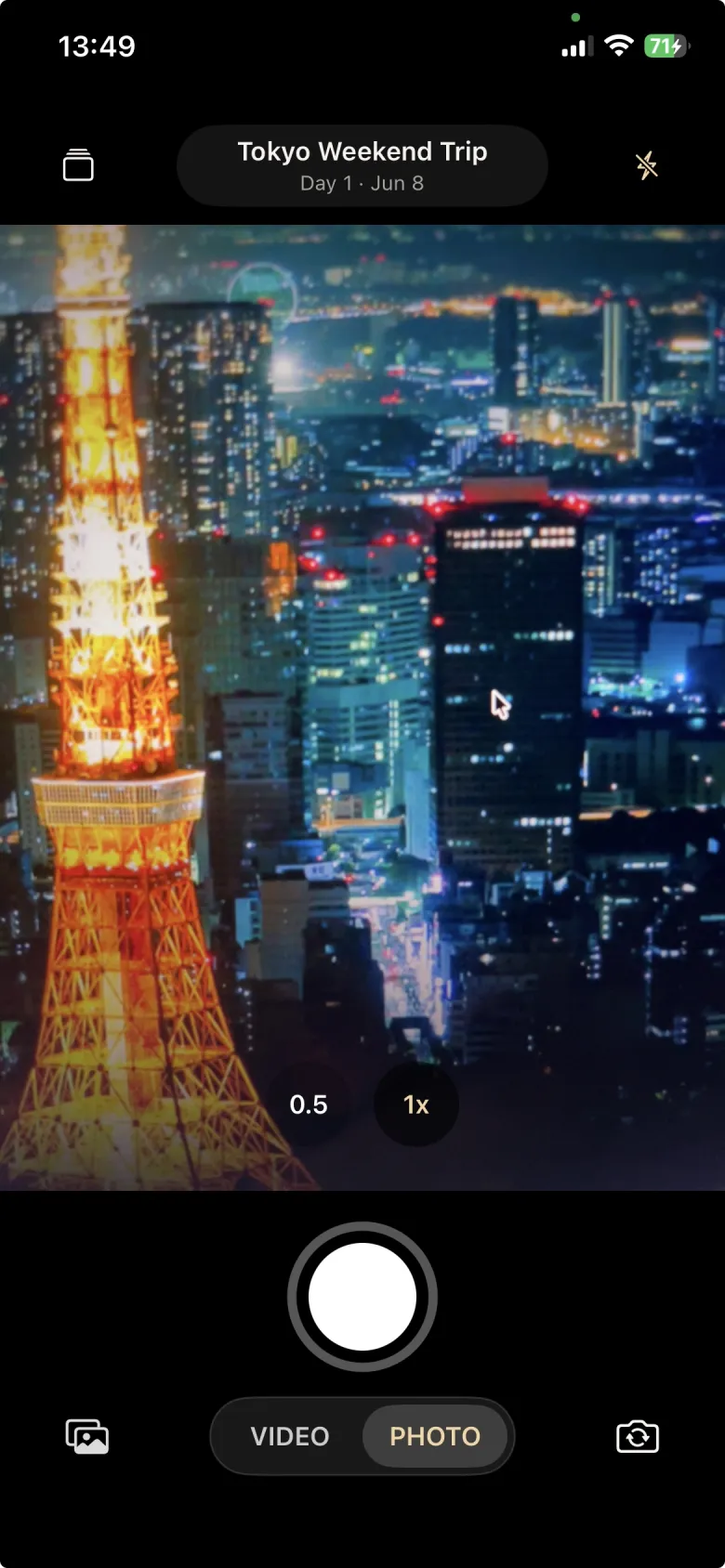
Ryokam is a local-first travel camera that keeps every photo and video attached to the trip where it belongs. Create a journey, capture as you go, and return to one focused trip gallery instead of sorting a mixed camera roll later.
The promise
Travel photos are easiest to enjoy when they already belong to the right journey. Ryokam keeps its camera tied to your active trip, so new photos and videos land together as you capture. The result is a calm, chronological trip gallery that is ready to browse and share without reorganizing your main photo library after you get home.
How it works
Name the journey and set the dates before you go.
Open ryokam and shoot photos or short videos into the active trip.
Relive the trip in a focused gallery with every moment in one place.
Why Ryokam
Most camera rolls mix everyday screenshots, family photos, work images, and travel memories in one long stream. Ryokam gives each trip a clear boundary, making the journey easier to find, revisit, and share.
Create a trip with a name, destination, and dates, then capture directly into that collection while you travel.
Photos and videos are grouped by trip from the start, so you do not need to rebuild the journey from a crowded main camera roll.
Import existing travel photos and videos into a trip when you want past moments beside new captures in the same gallery.
Open the trip gallery, review media full screen, and use the native share sheet when you want to send original local files.
Features
Each journey gets its own name, destination, dates, cover image, and gallery. Activate the trip you are taking so new moments stay connected to it.
Capture moments with the in-app travel camera while your active trip is underway. Ryokam saves the local media and keeps it attached to that journey.
Browse a focused gallery in chronological order, open photos and videos full screen, and share original local files through the native share sheet.
Captured media is also copied to the device photo library when permission is available. Deleting the Ryokam copy does not delete a copy already saved there.
FAQ
Not for the current app. You can create trips and organize travel photos without signing in.
The current app does not use cloud sync. Photos and videos stay organized in ryokam and can also be copied to iPhone Photos.
Deleting media in ryokam removes the local ryokam copy. Copies already saved to iPhone Photos remain there.
Yes. Import existing photos and videos from your device photo library into a Ryokam trip, then browse them beside moments captured with the in-app camera.